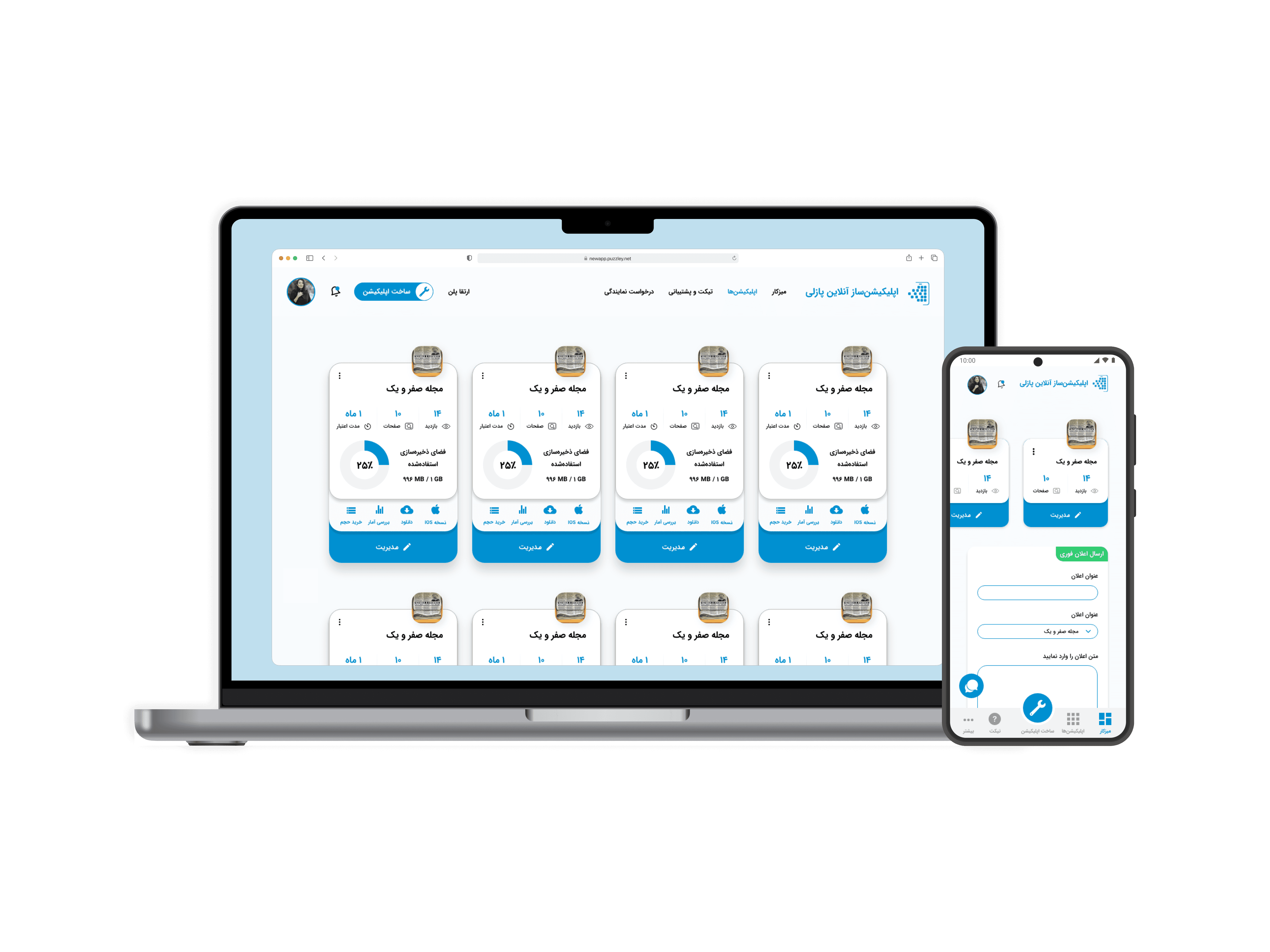
Puzzley is an online app builder that lets you create apps with drag-and-drop functionality, no coding required. Its feature-rich panel allows users to easily customize their apps.
Role
UI/UX Designer
Timeframe
4 months
Platforms
Web & Mobile (PWA)
Responsibilities
Concept Development
User Experience Design
Collaboration with Dev. Team
Visual Design
Prototyping
Pitching & Presenting
00/prologue
About Taskpin
01/Overview
About Case Study
Problem Statement
Complex Panel, Difficult to Generate Apps
The panel had significant complexities, as it was developed without many user experience considerations.
Study Goals
Reducing User Confusion and Improving Task Completion
Understanding users’ challenges and working to reduce major complexities to enable them to create apps faster.
Impact
Task Completion Rate Increased
Since I redesigned the entire process, we experienced a significant improvement.
02/My Research
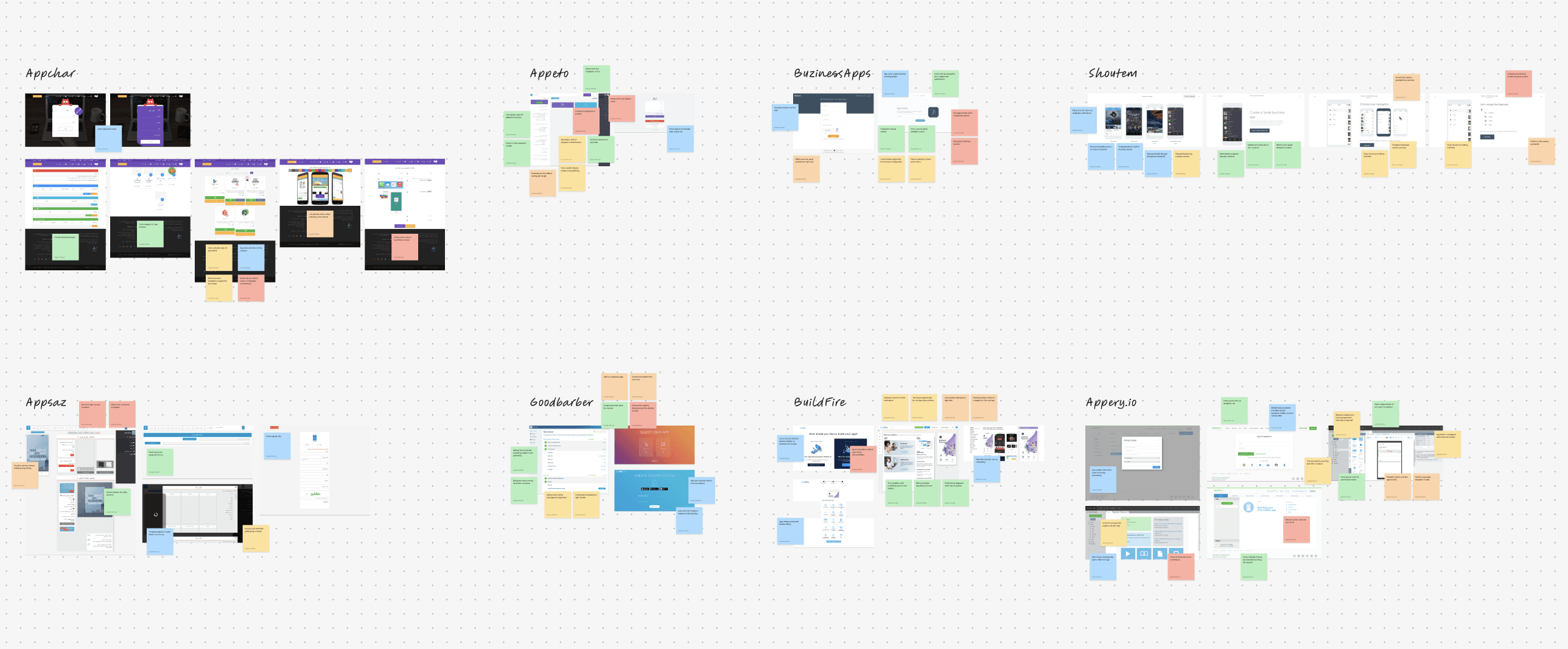
Competitive Analysis
Using FigJam
Puzzley has several national and international competitors. I chose projects similar to Puzzley to study to take advantage of their best practices.
Functionality
User Interface
Typography
Color
This analysis allowed me to observe how other products addressed similar challenges through their innovations. It also provided insights into how they used colors and typefaces to highlight different sections or features.
Survey
Using Typeform
I began my research on Puzzley users by designing a comprehensive survey, which I distributed to 300 randomly selected clients. The survey covered demographic details and questions about their product experience.
Maximum budget spend on building an app
Favorite category for building an app using Puzzley
Average time of building an app using Puzzley
Advantages of Puzzley
Apps built using Puzzley
Knowledge about Puzzley
Purpose of building an app
Experience in testing apps
Experience in building an app
Demographics (Age, Gender, Degree level, and Occupation)
Survey Results
Some charts from the survey results.
Installation &
Examination of New Apps
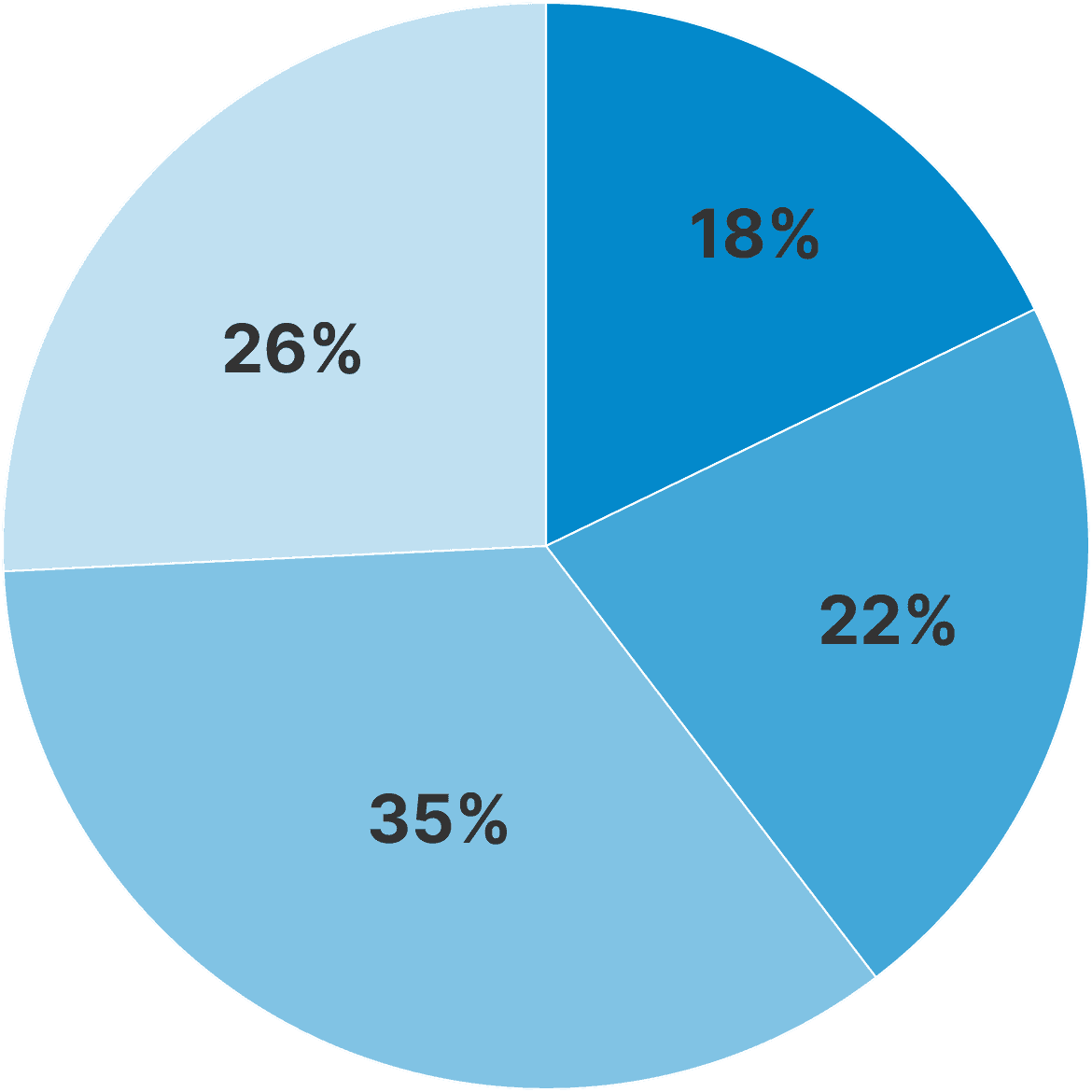
35% 1-3 apps
26% Almost nothing
22% > 7 apps
18% 4-6 apps
Maximum Budget for
App Creation
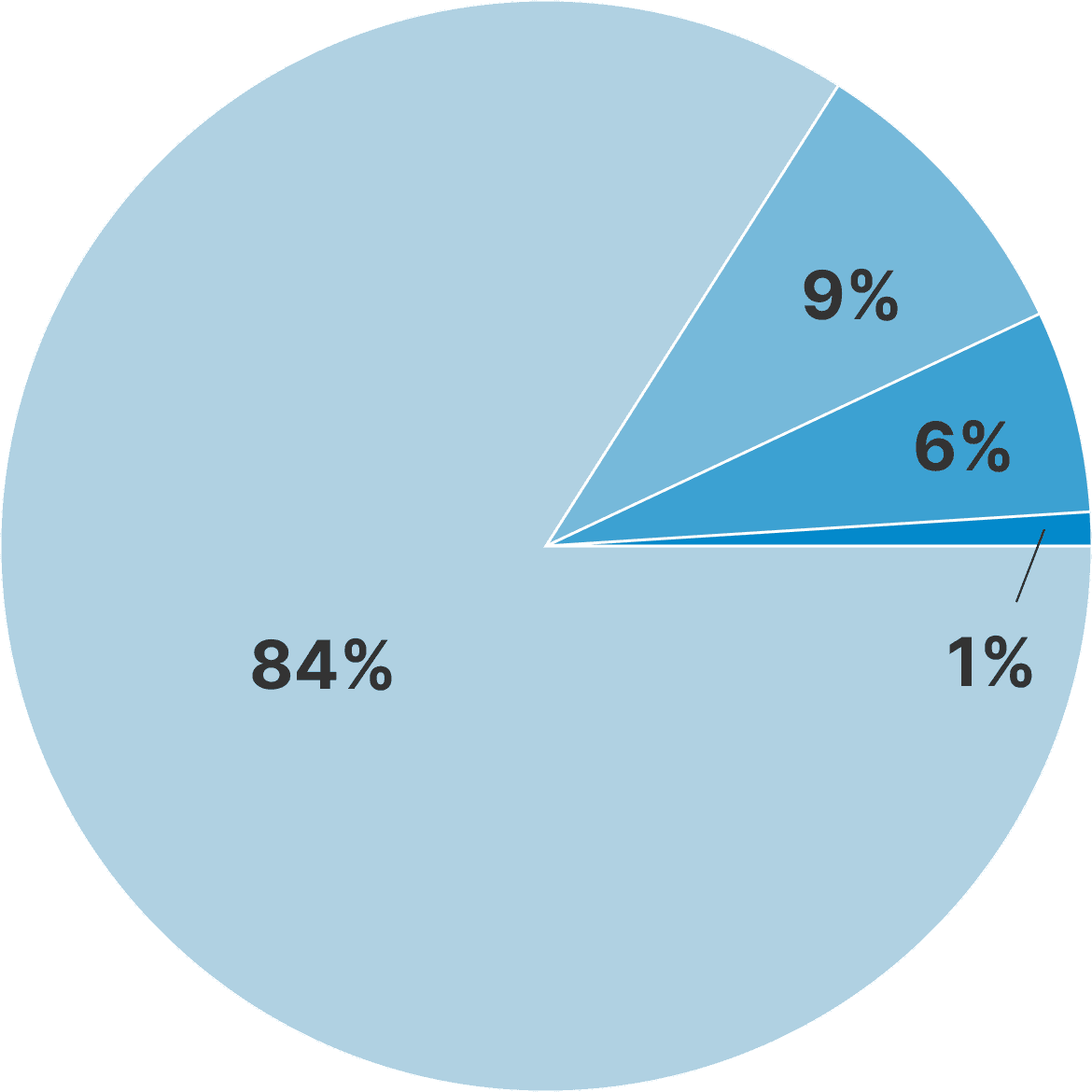
84% < $200
9% $201 to $360
6% $361 to $500
1% > $650
Experience in Building
Mobile Apps
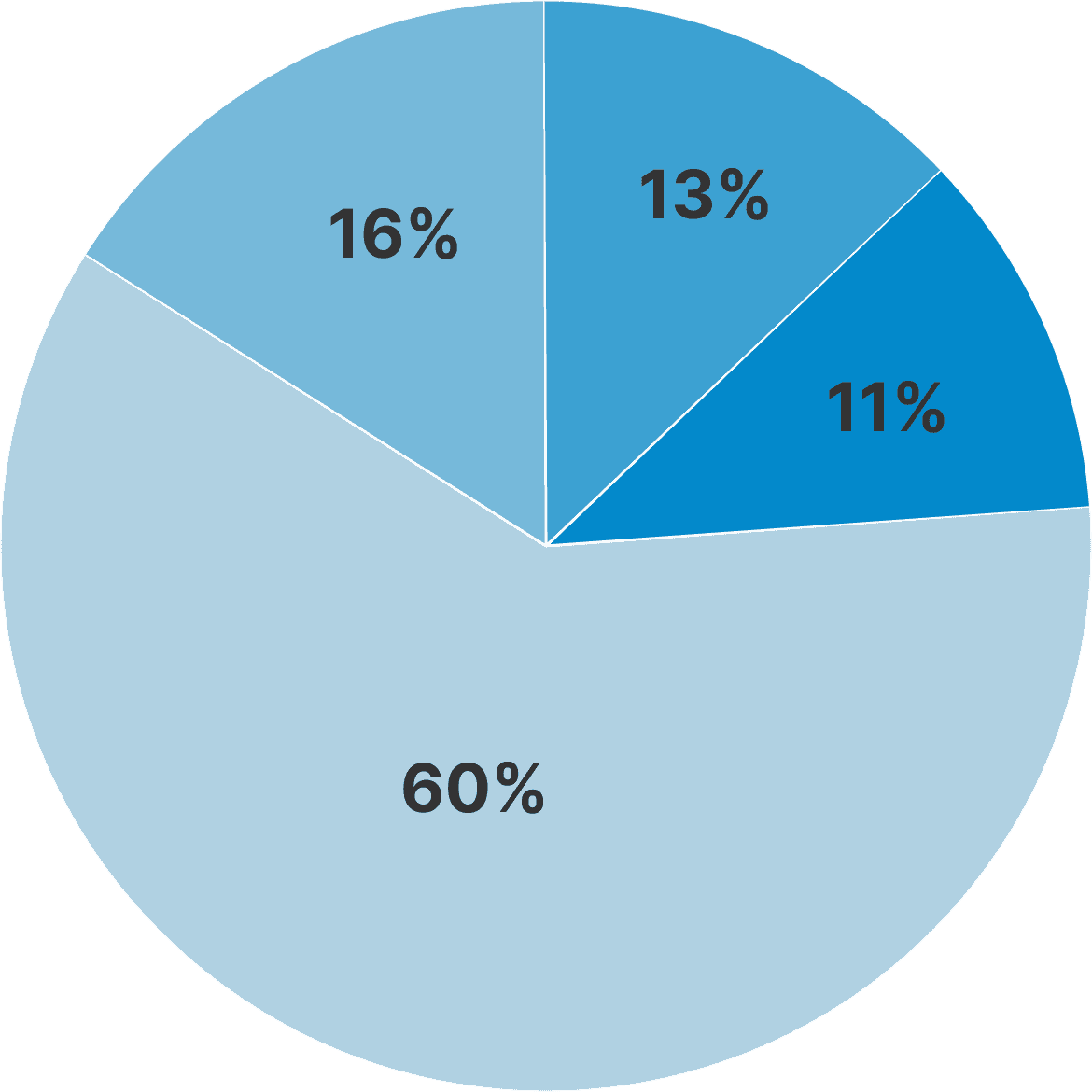
60% 1-3 apps
16% 4 to 6
13% > 7
11% Zero
Number of App
Created using Puzzely
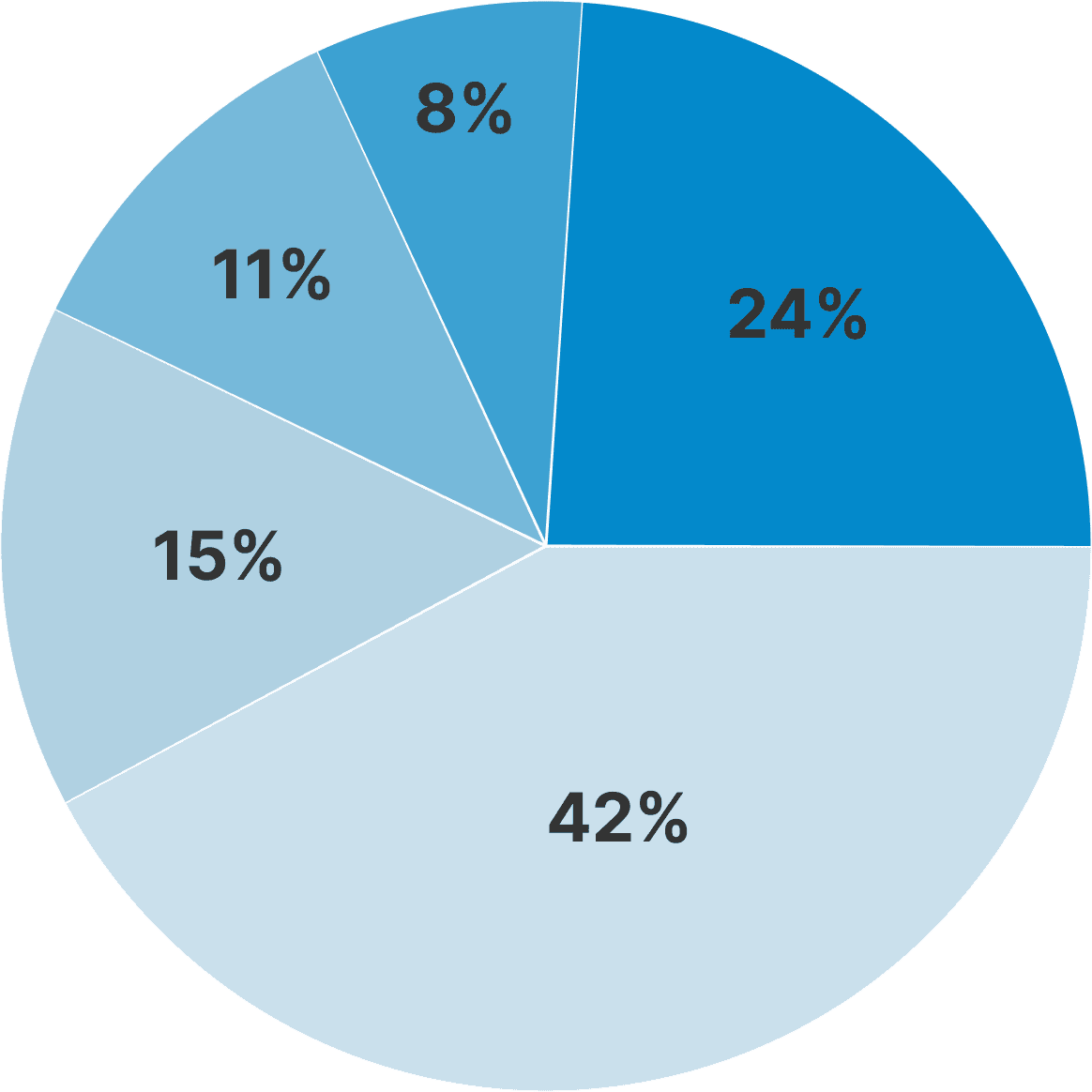
32% 1
24% Zero
15% 2
11% 3
8% > 4
Personas
I segmented Puzzley’s users into six major personas. Each has a unique story and scenario for using the user panel.

Keyvan
Student
Student Searching for a No-Code App Builder
”...Keyvan is a high school student known among his friends as a, Geek boy, because of his strong interest in computers and mobile programming. He wants to quickly add an online store feature to the simple bookstore app he built for his father, but he cannot code it himself, so he searches Google for a no code solution and discovers an online app builder that could help him launch the store section easily and at low cost...“
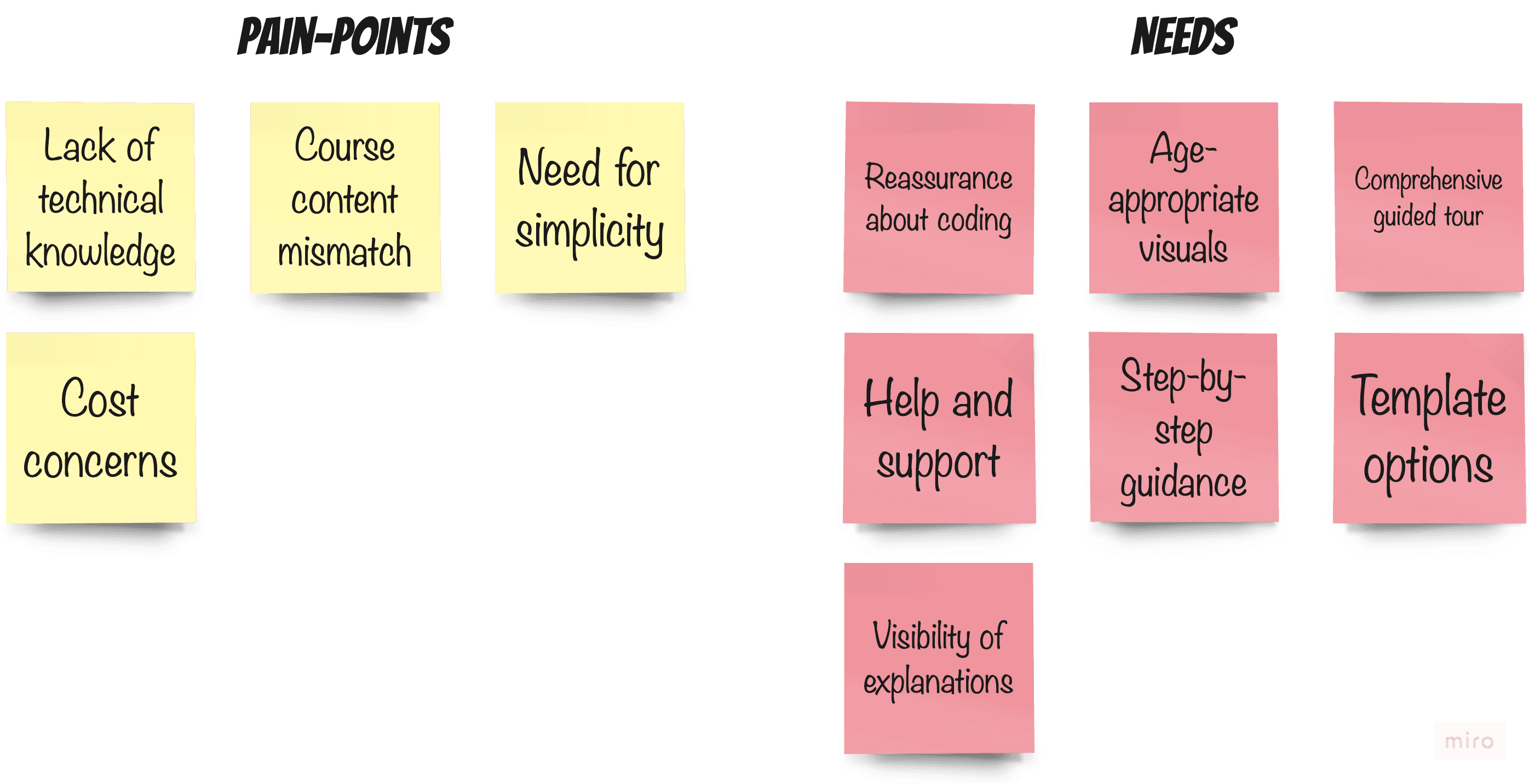
Prioritise Changes
I decided to focus on the following needs that could be designed and implemented within the timeframe after discussing the expected changes with the development team.
Help & Support
Pre-built Templates
Step-by-Step Guidance
In-Person Usability Test
Using Snagit
To conduct a usability test, 5 users with characteristics similar to the product personas were randomly selected. Each user is assigned specific tasks in the Puzzley panel. During testing, users are prompted to think aloud and vocalize their actions while their screens are being recorded.
Assignments
Participants were asked to perform the following tasks:
Task 1
Create a new project
Task 2
Add two pages to the app
Task 3
Assign a theme and typography
Task 4
Download the final output
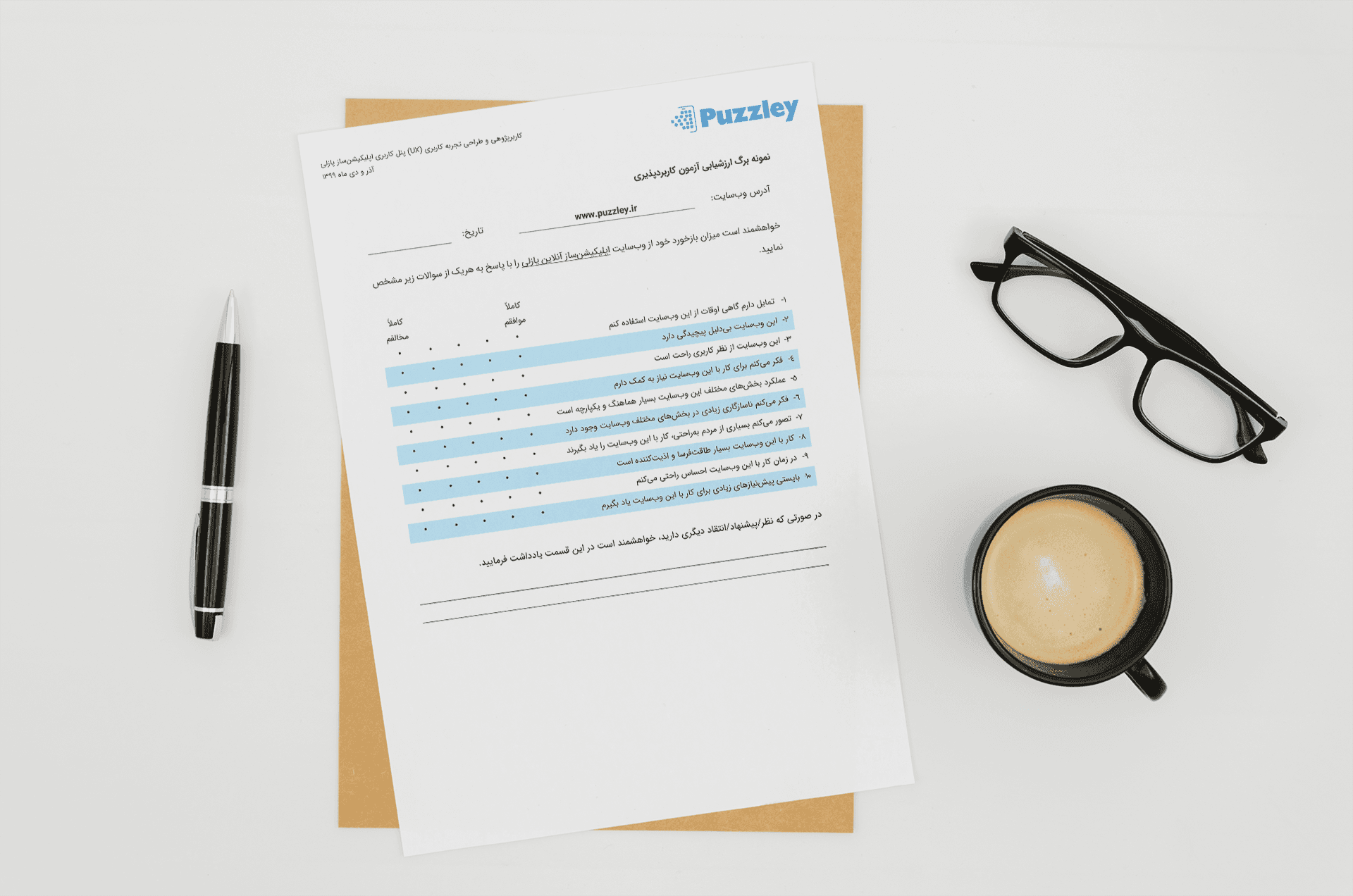
System Usability Scale
Using Pen & Paper
Each user is requested to complete a System Usability Scale form, reflecting their experience with the product and providing us with their suggestions.
03/The Results
Information Architecture
Using FlowMapp
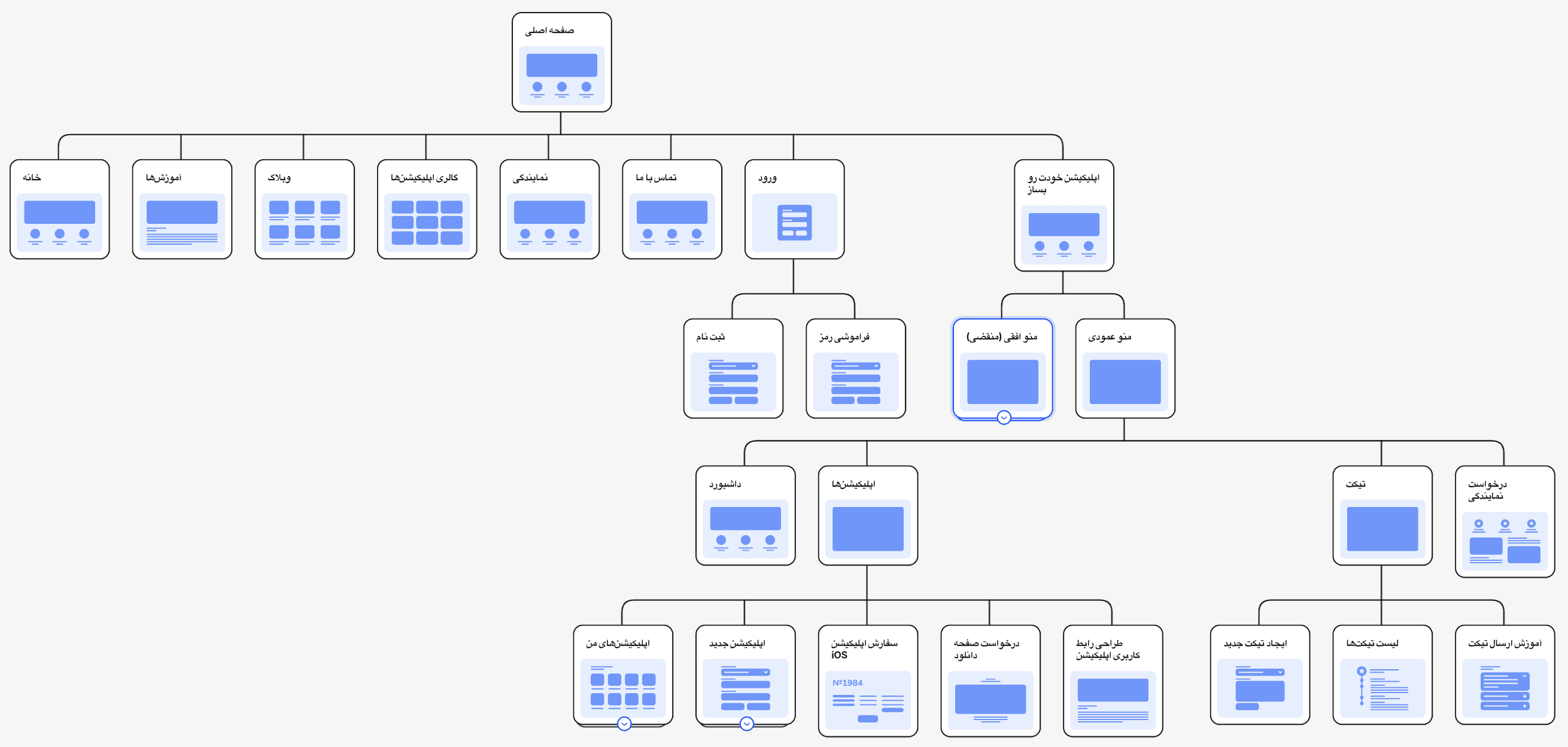
I transformed the vertical menu into a horizontal one and added a ‘Create app’ call-to-action, giving users more workspace and the ability to start app creation from any point.
Streamlined Information Architecture
This diagram highlights high-level changes in the information architecture, with unnecessary branches hidden.
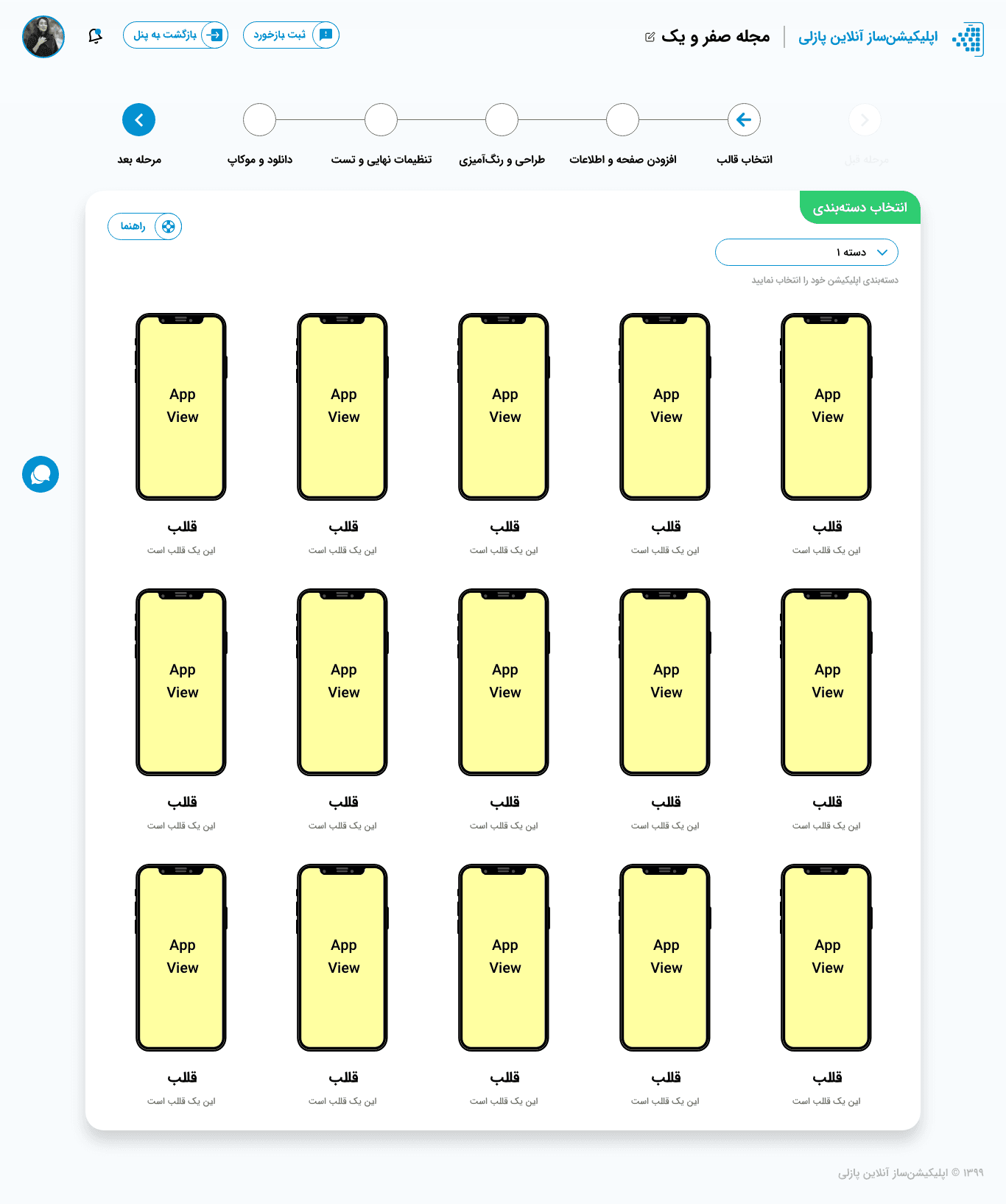
App Templates
I proposed adding App Templates to the panel so that users can create their apps using pre-built templates and customize them based on their needs.
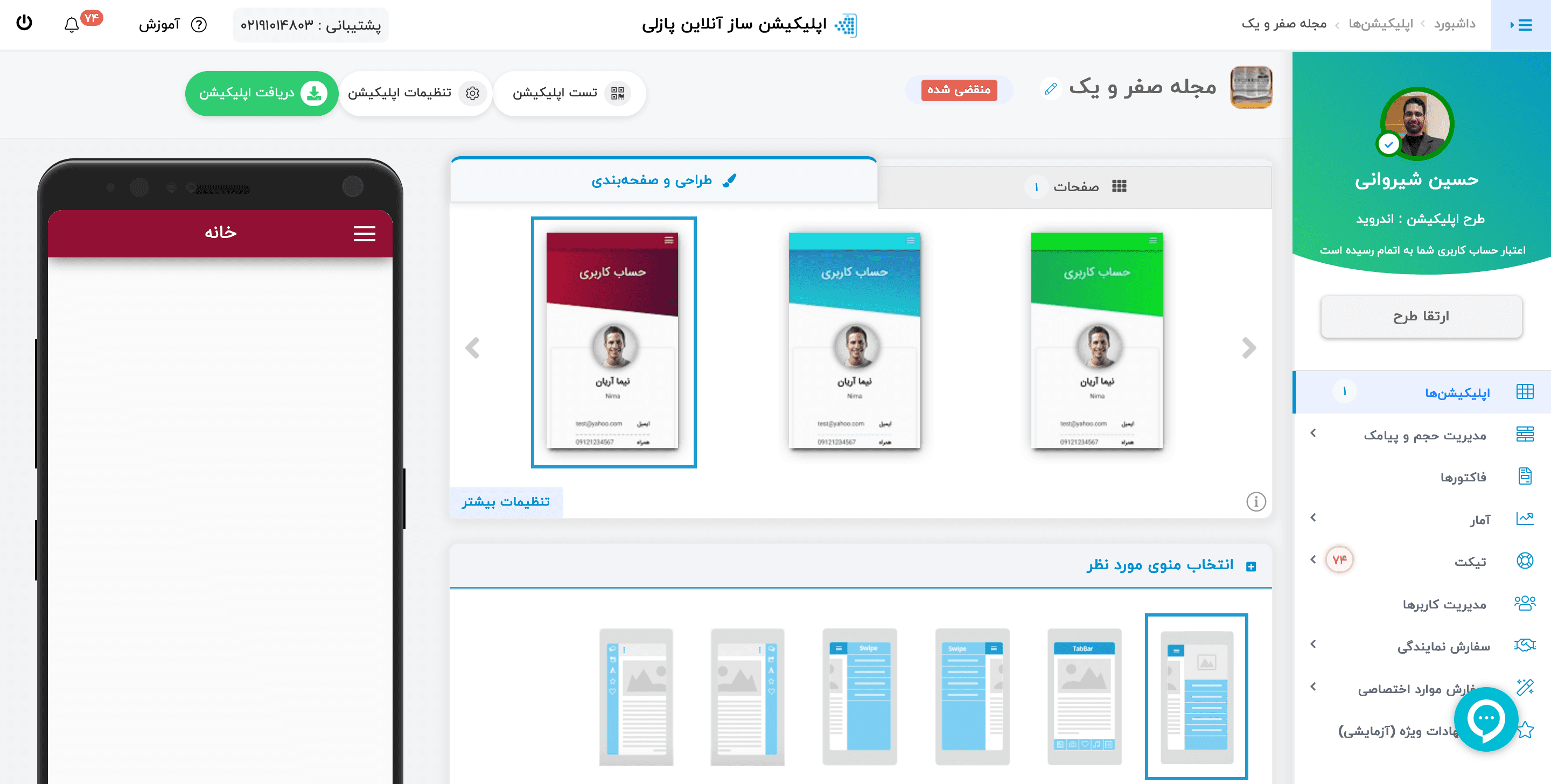
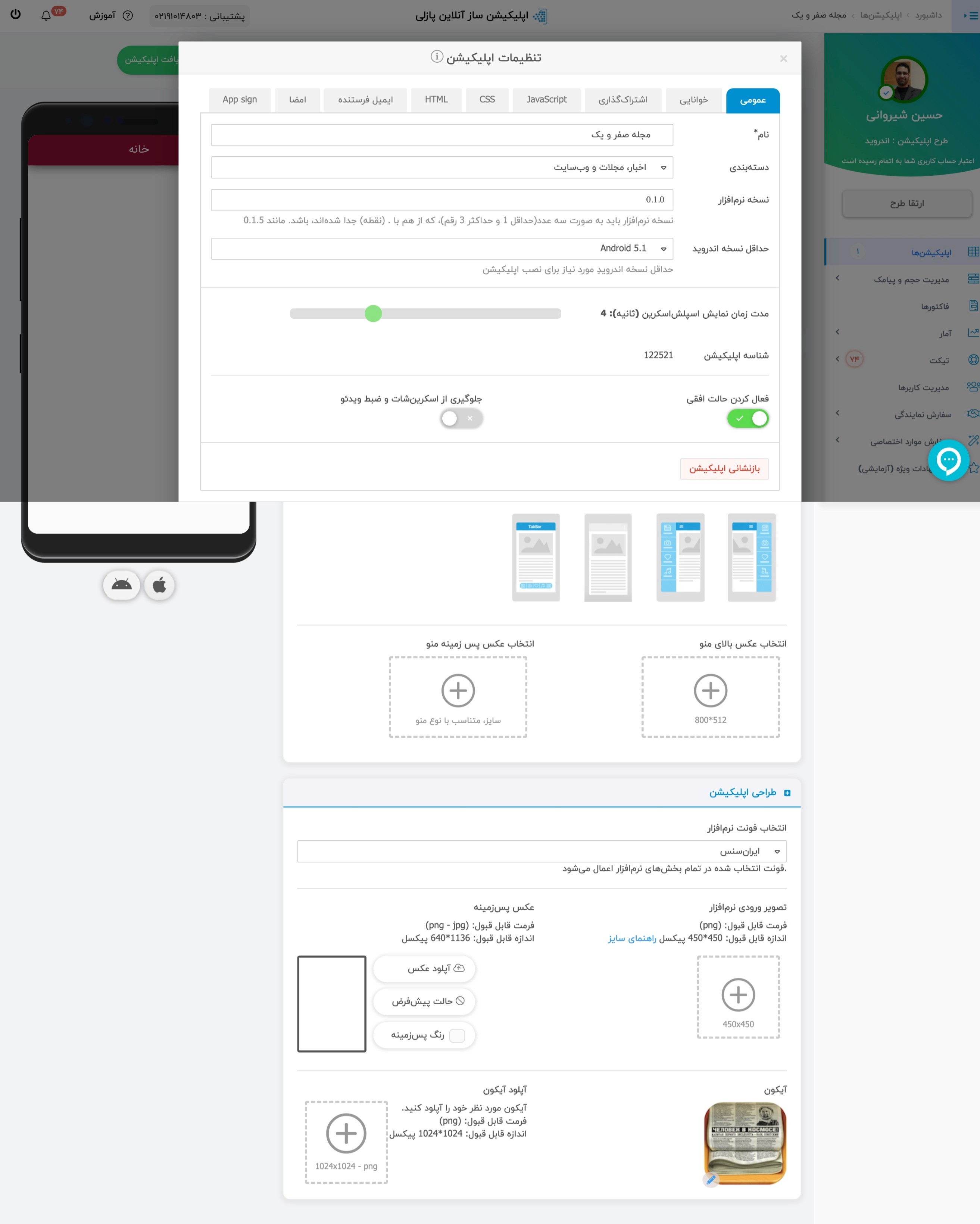
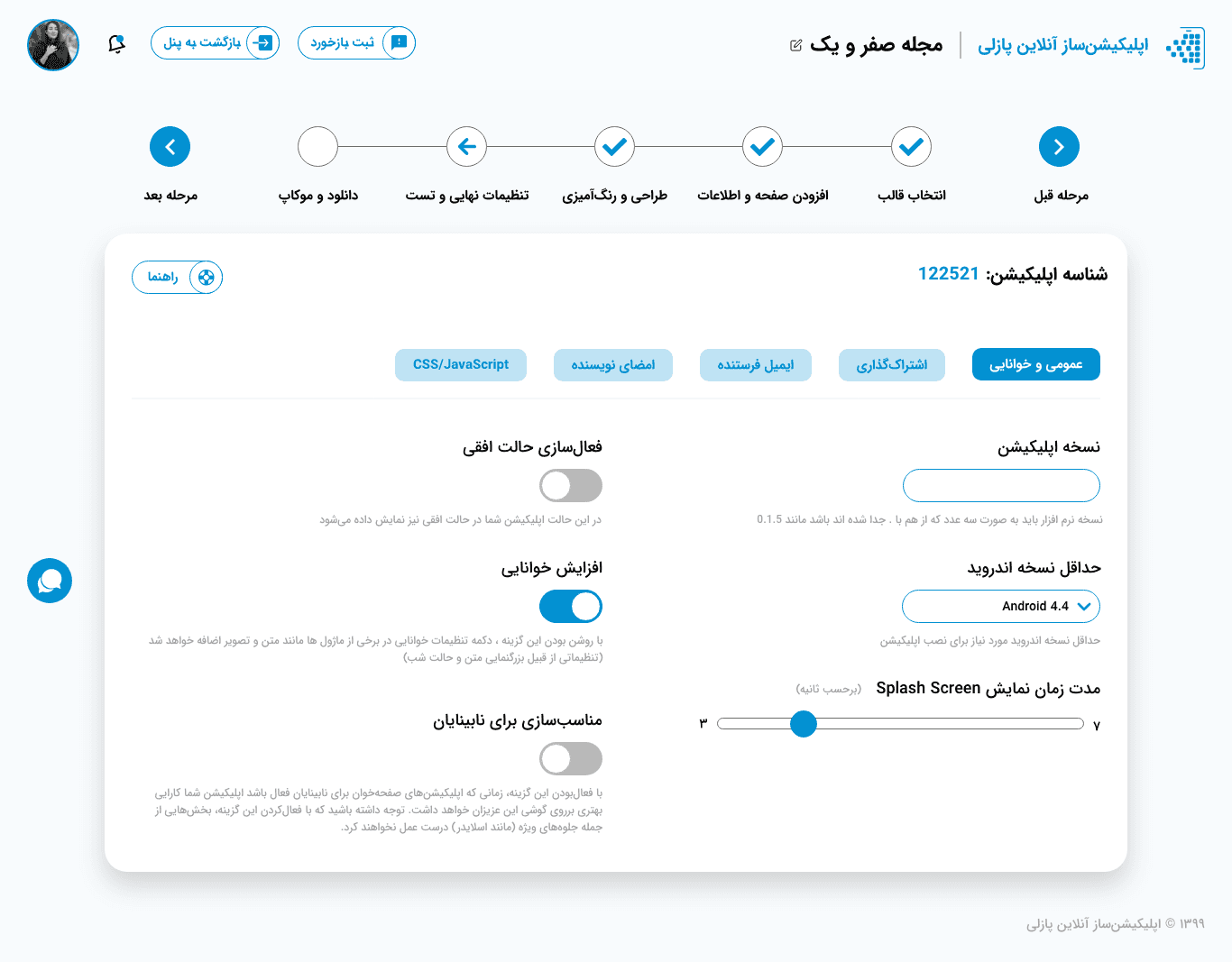
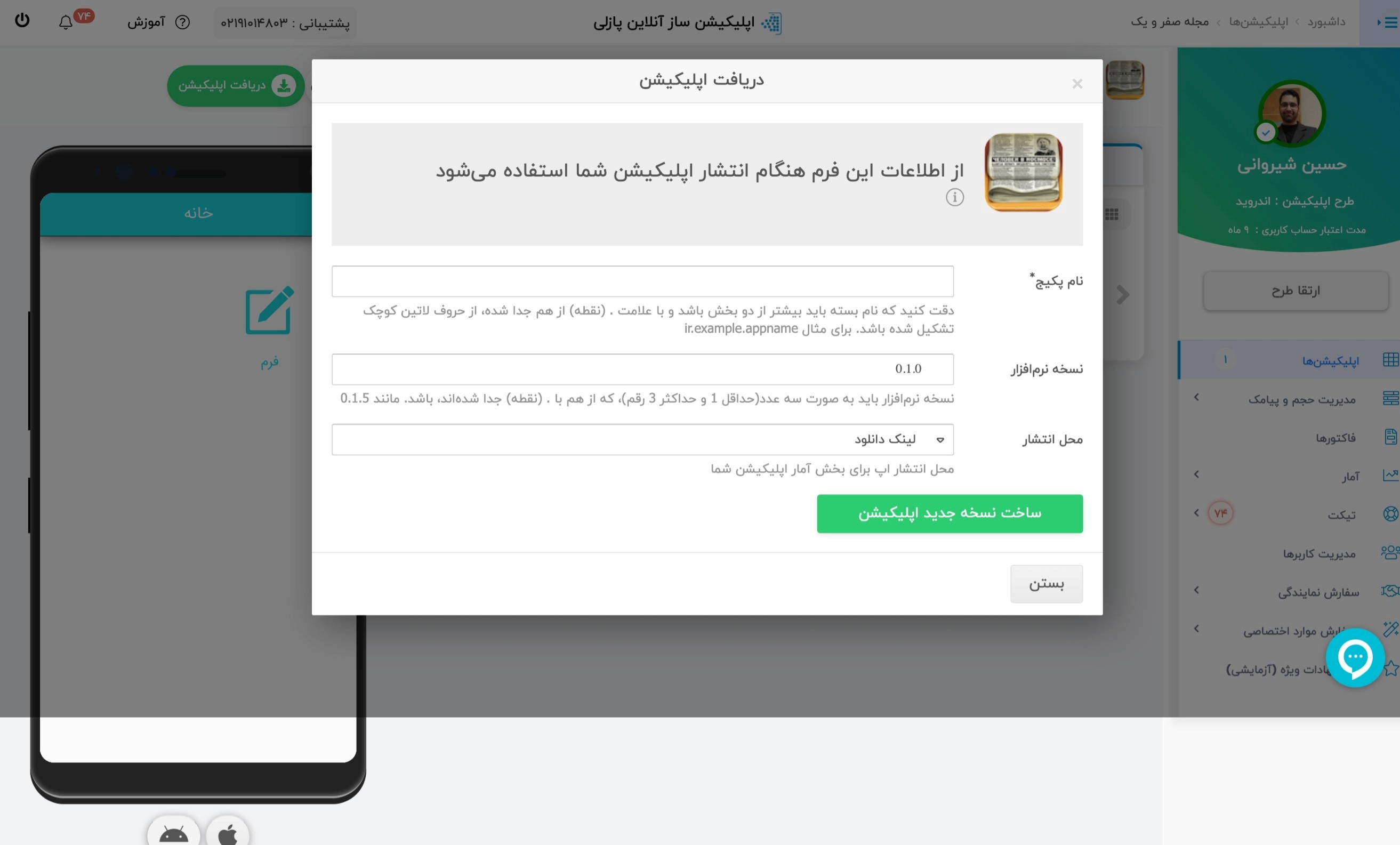
Some Before & After
Desktop Version
The fresh look and feel of the desktop version offers a new and improved experience for Puzzley users.
Before

After
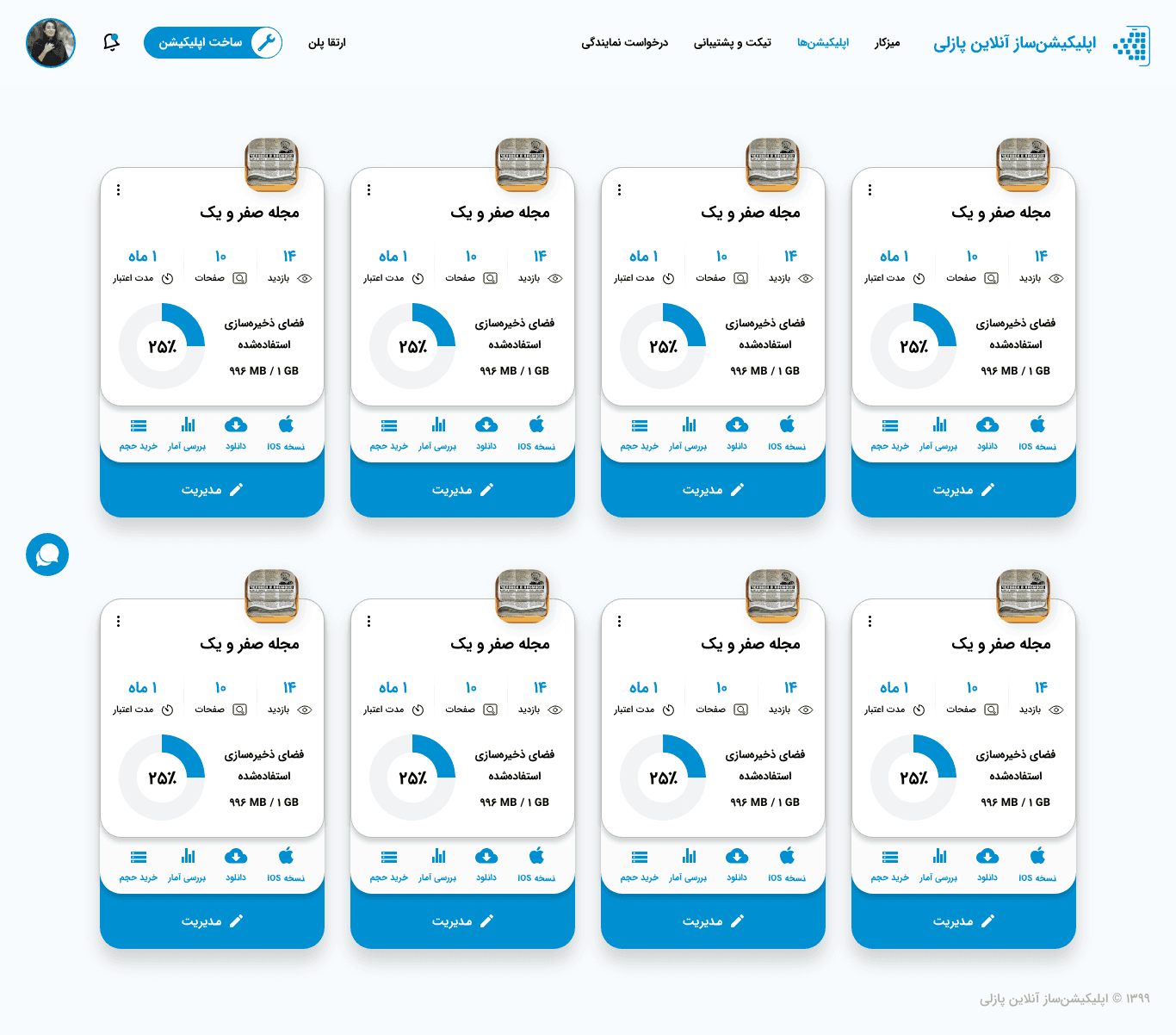
Before
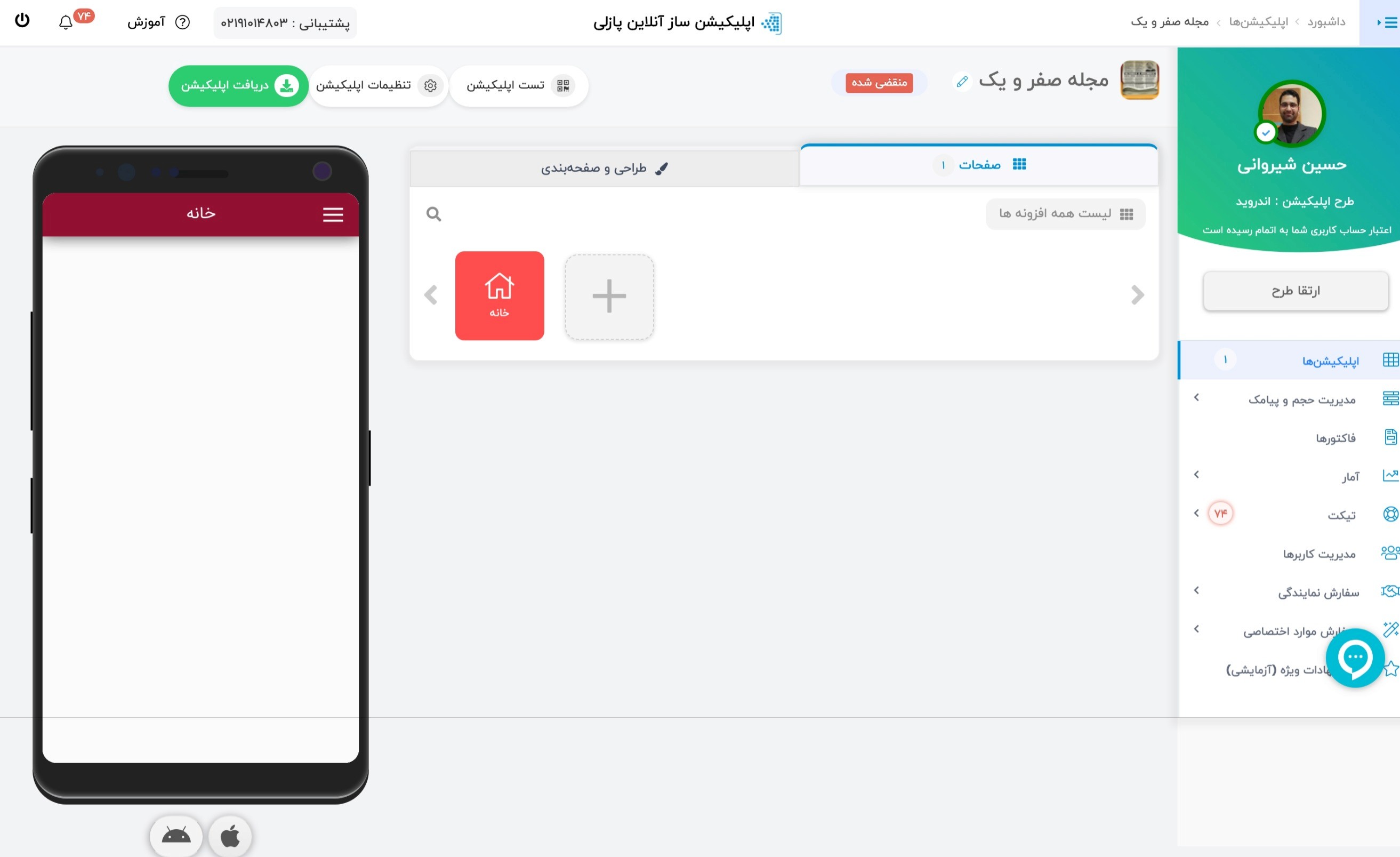
After

Before
After

Before
After
Before
After
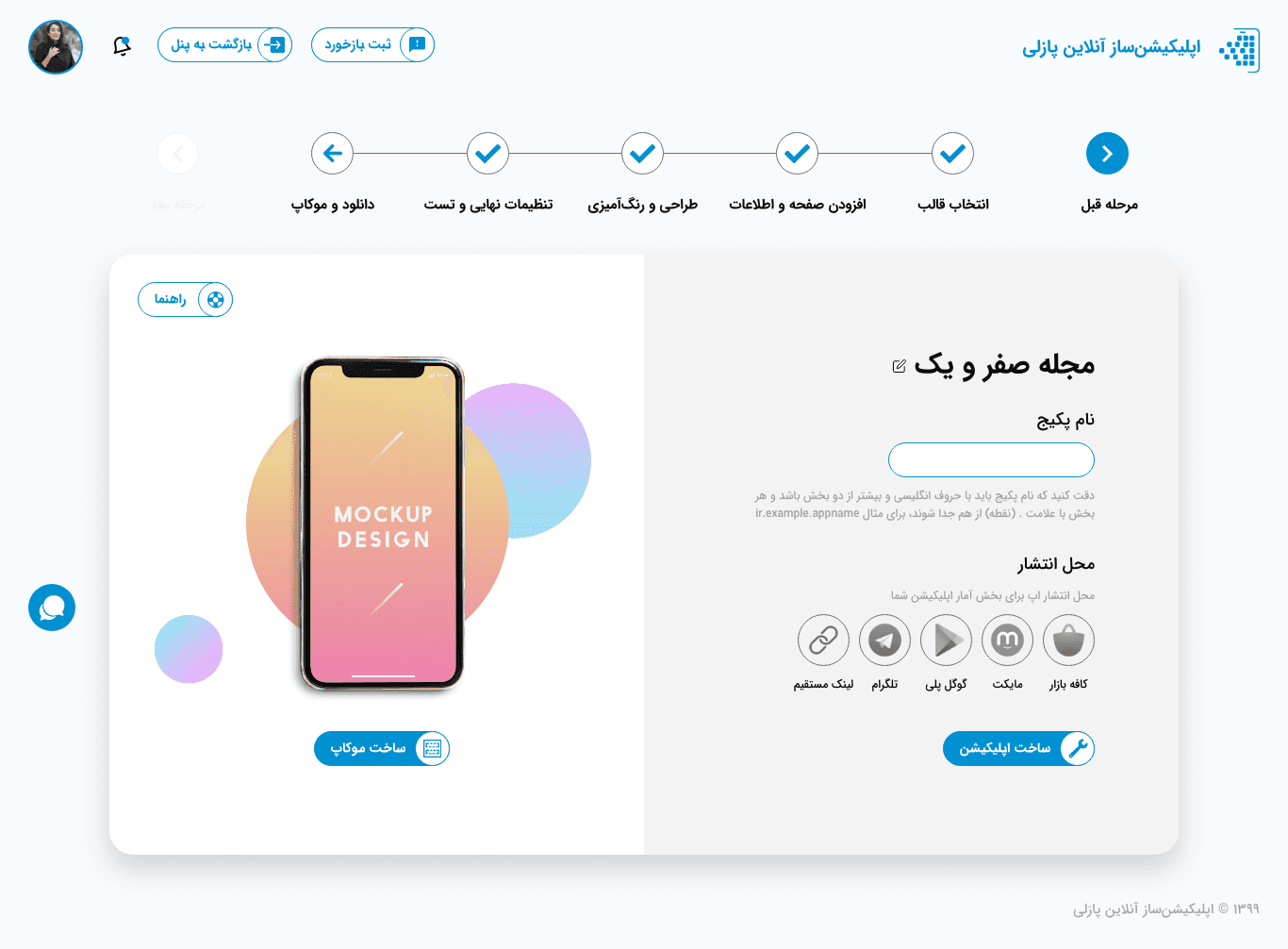
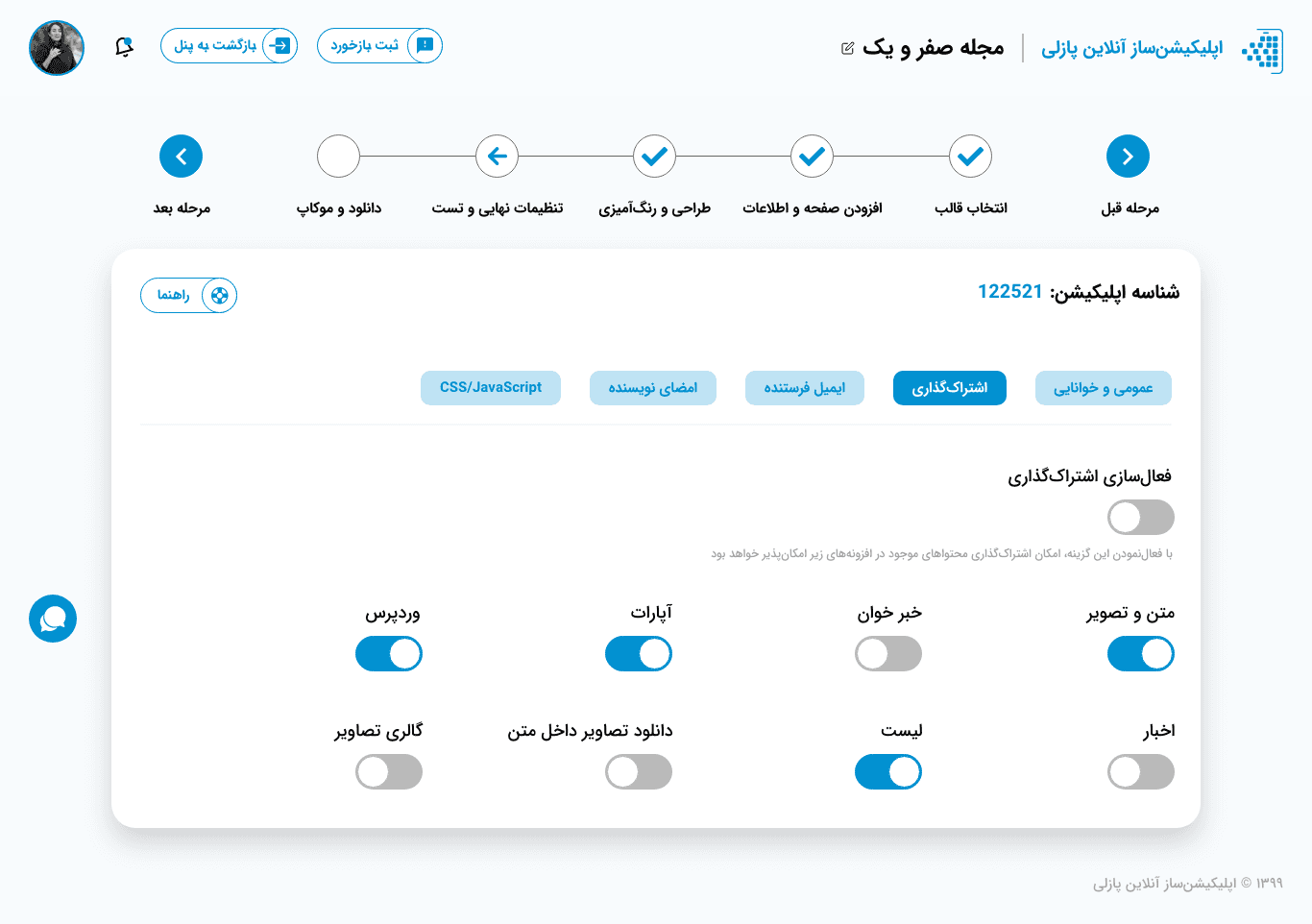
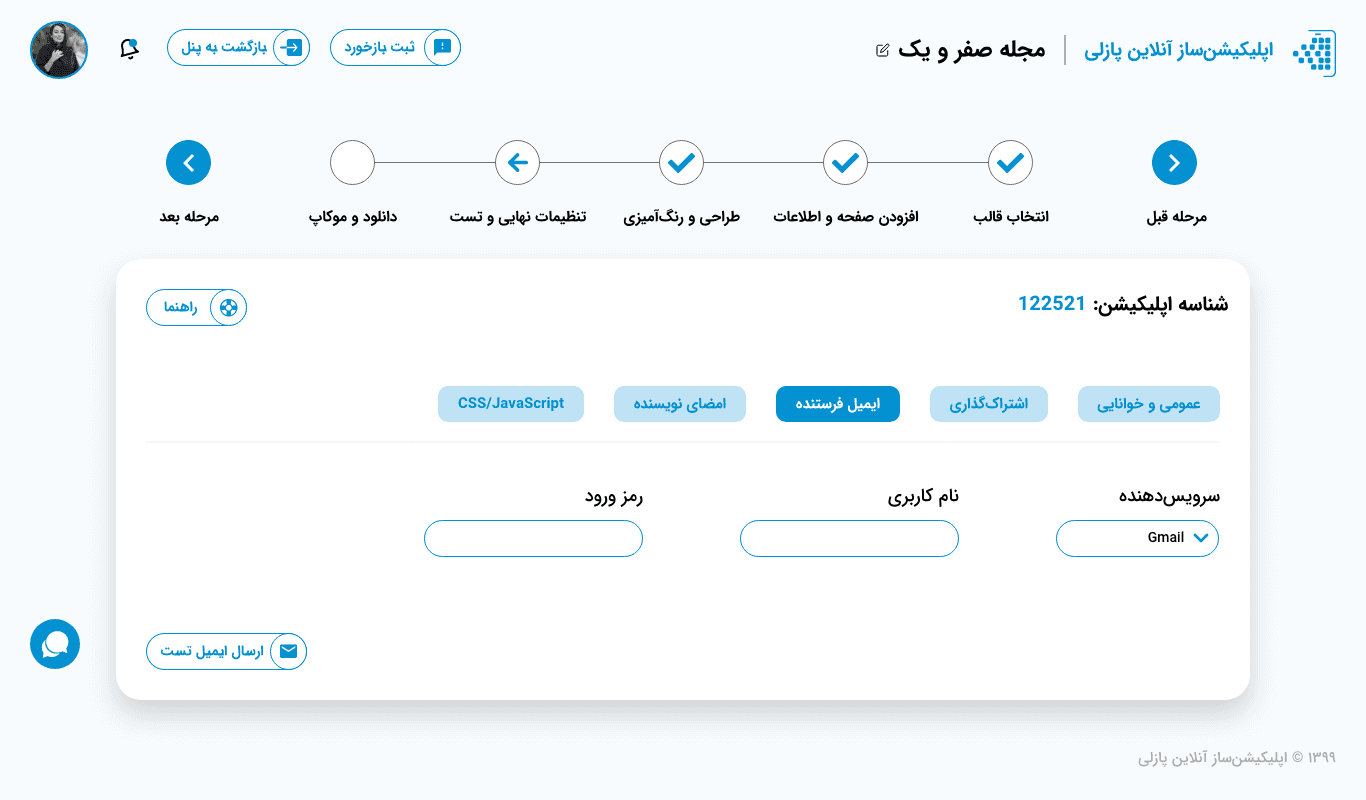
Visual Design
Desktop Version
The fresh look and feel of the desktop version offers a new and improved experience for Puzzley users.
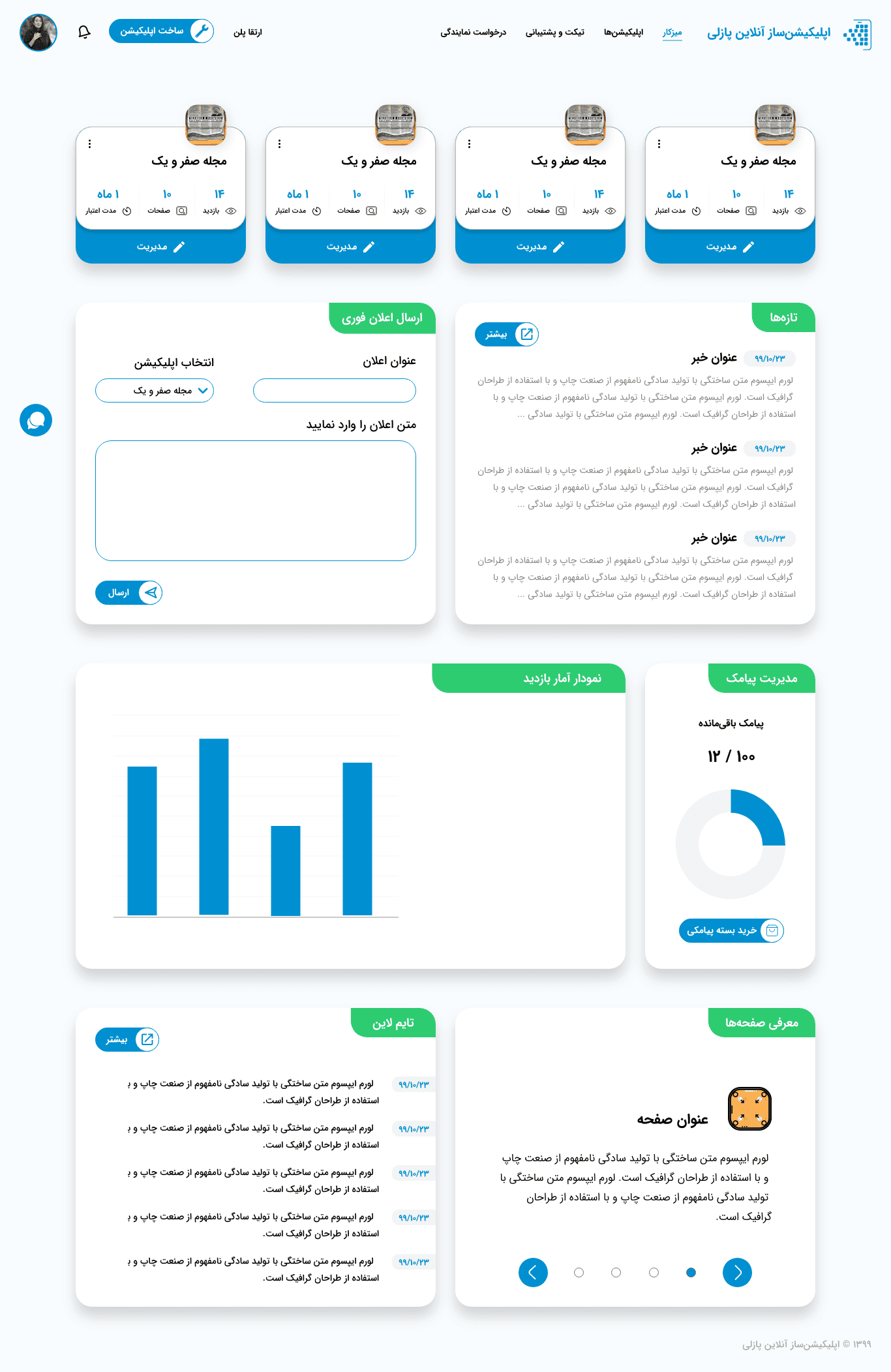
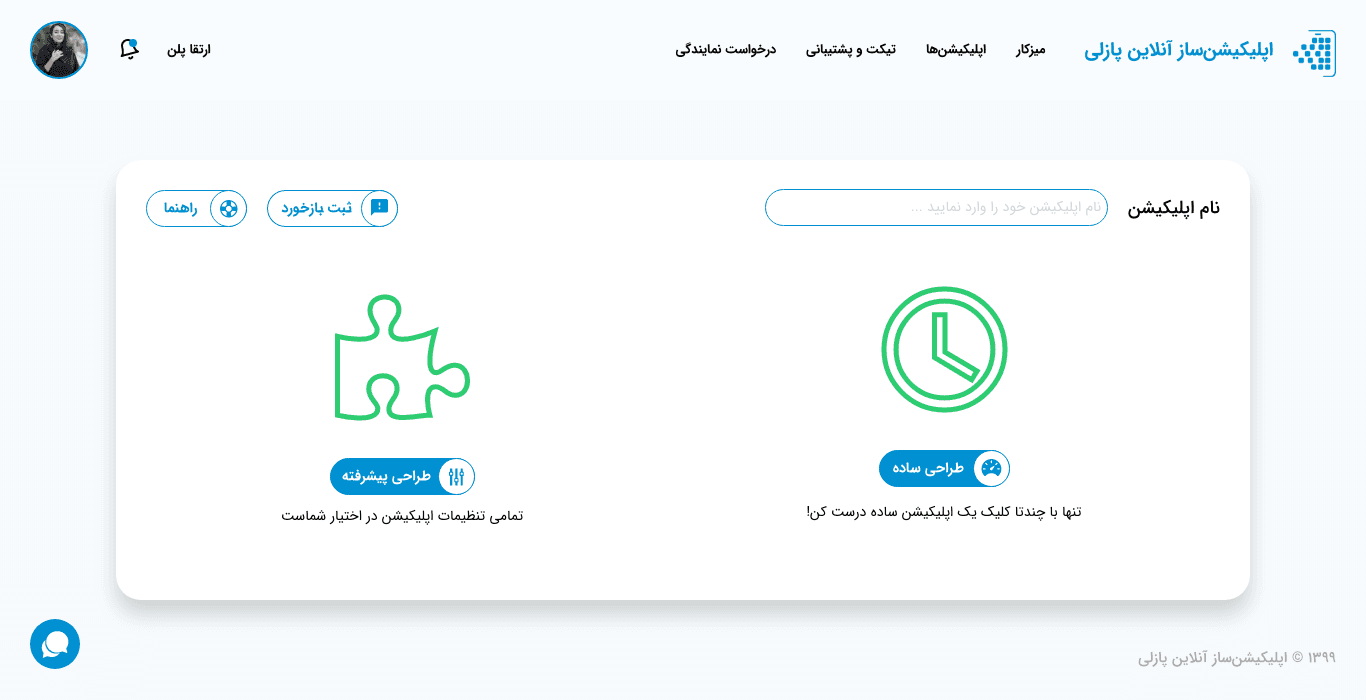
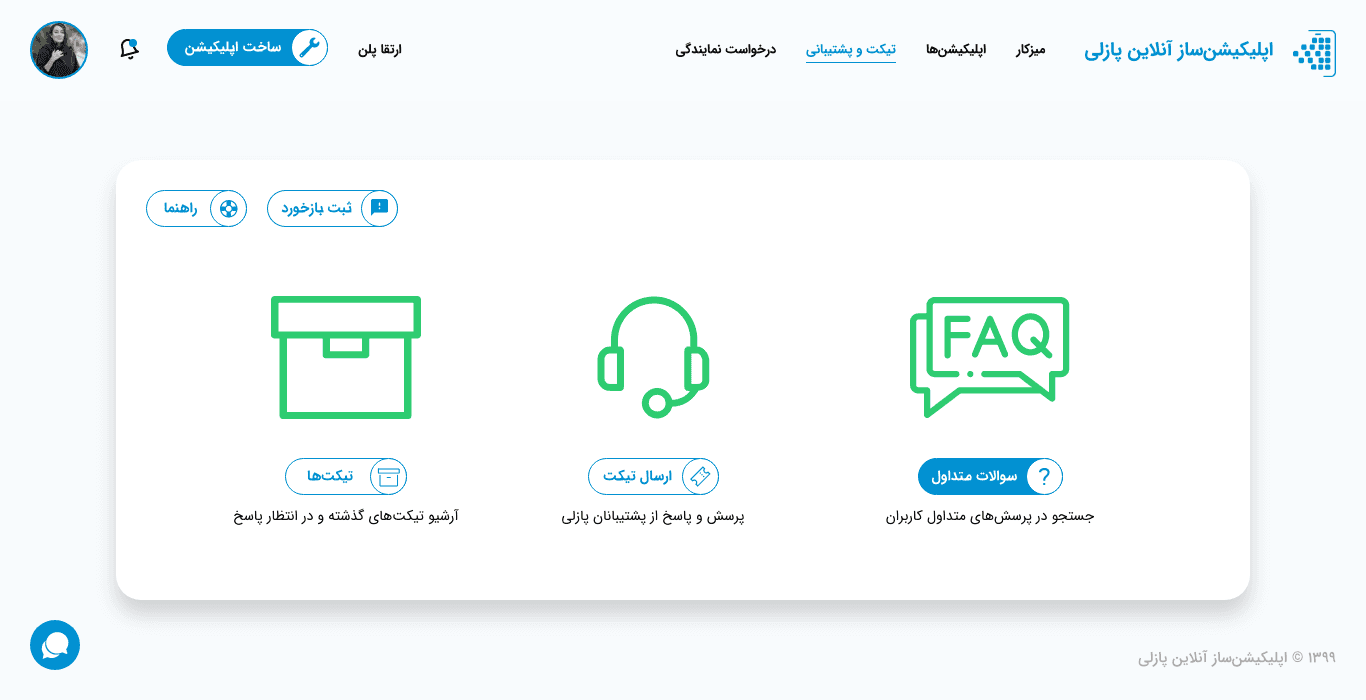
Visual Design
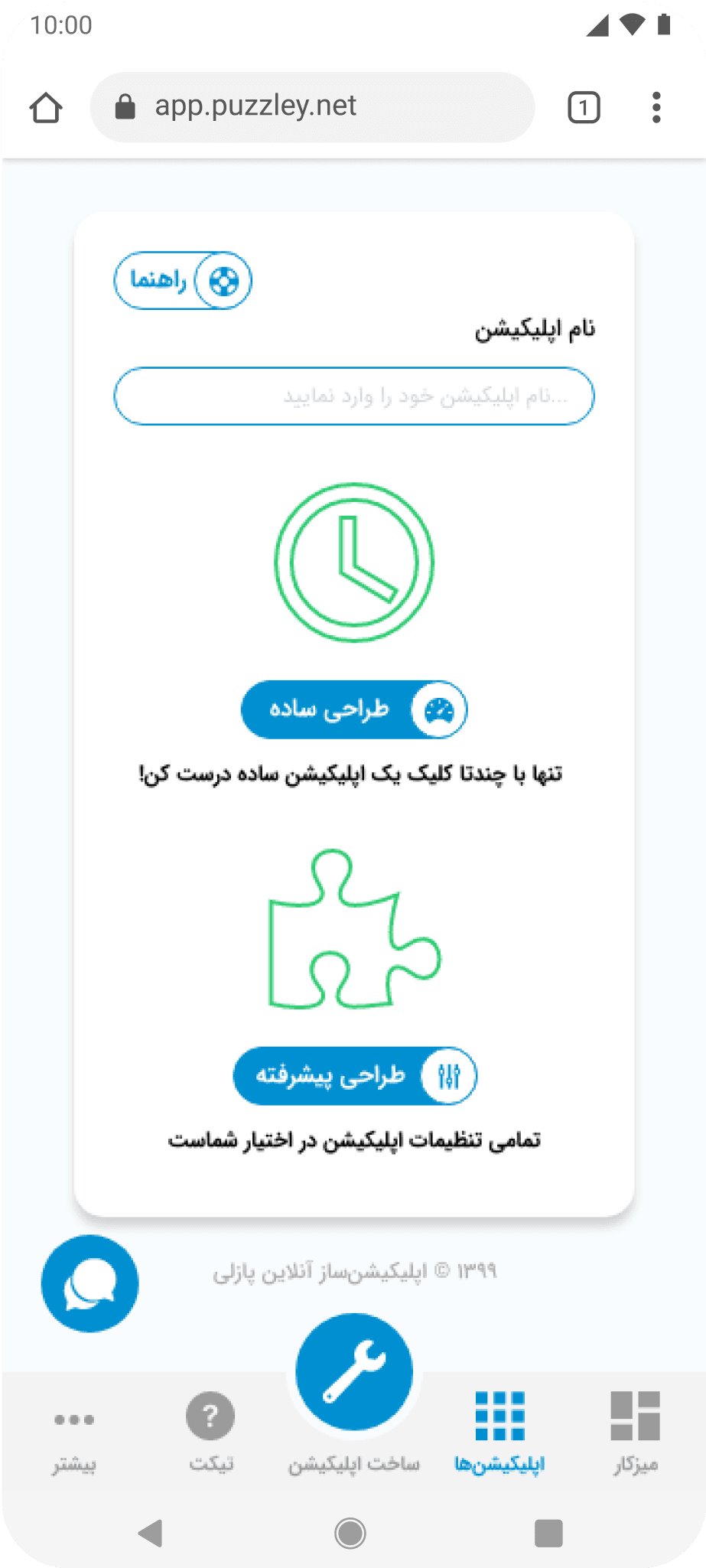
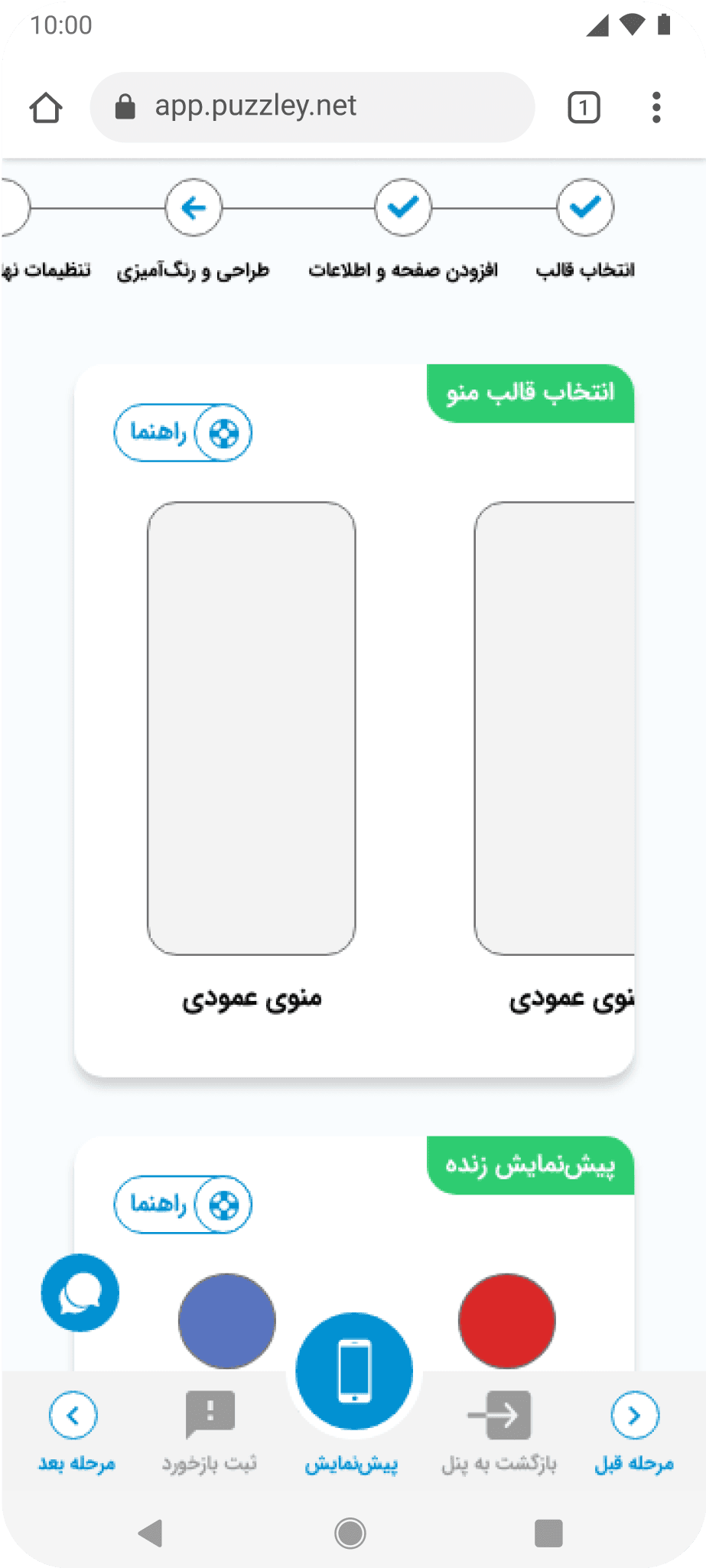
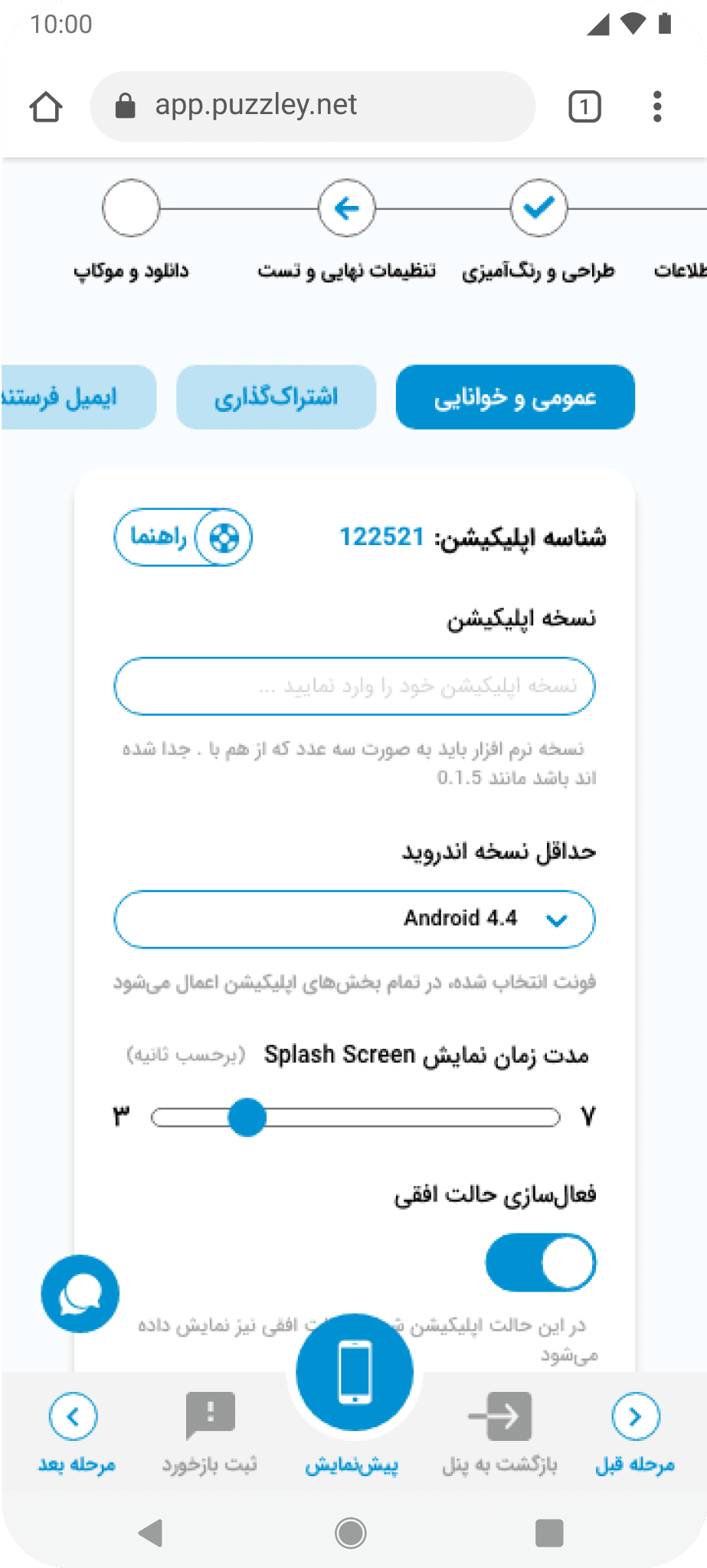
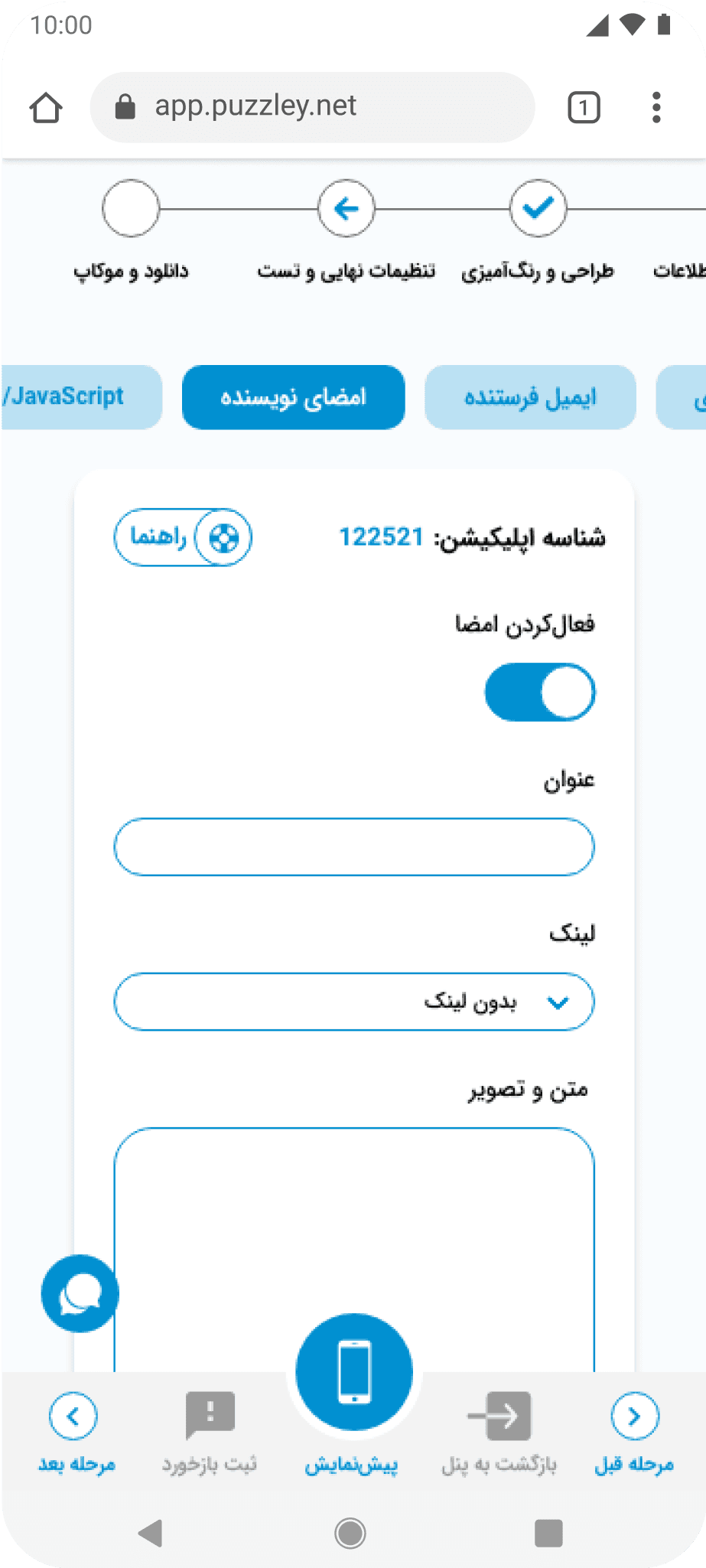
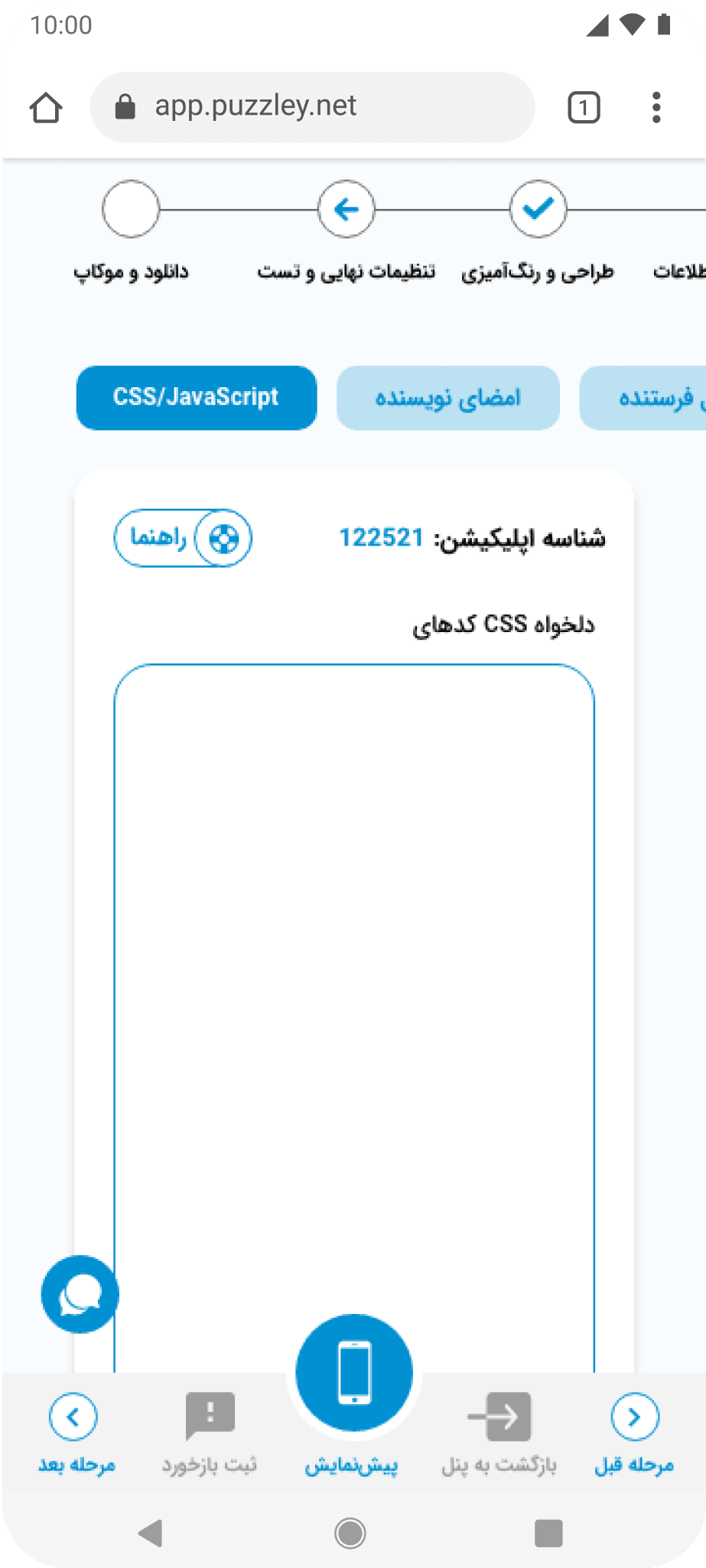
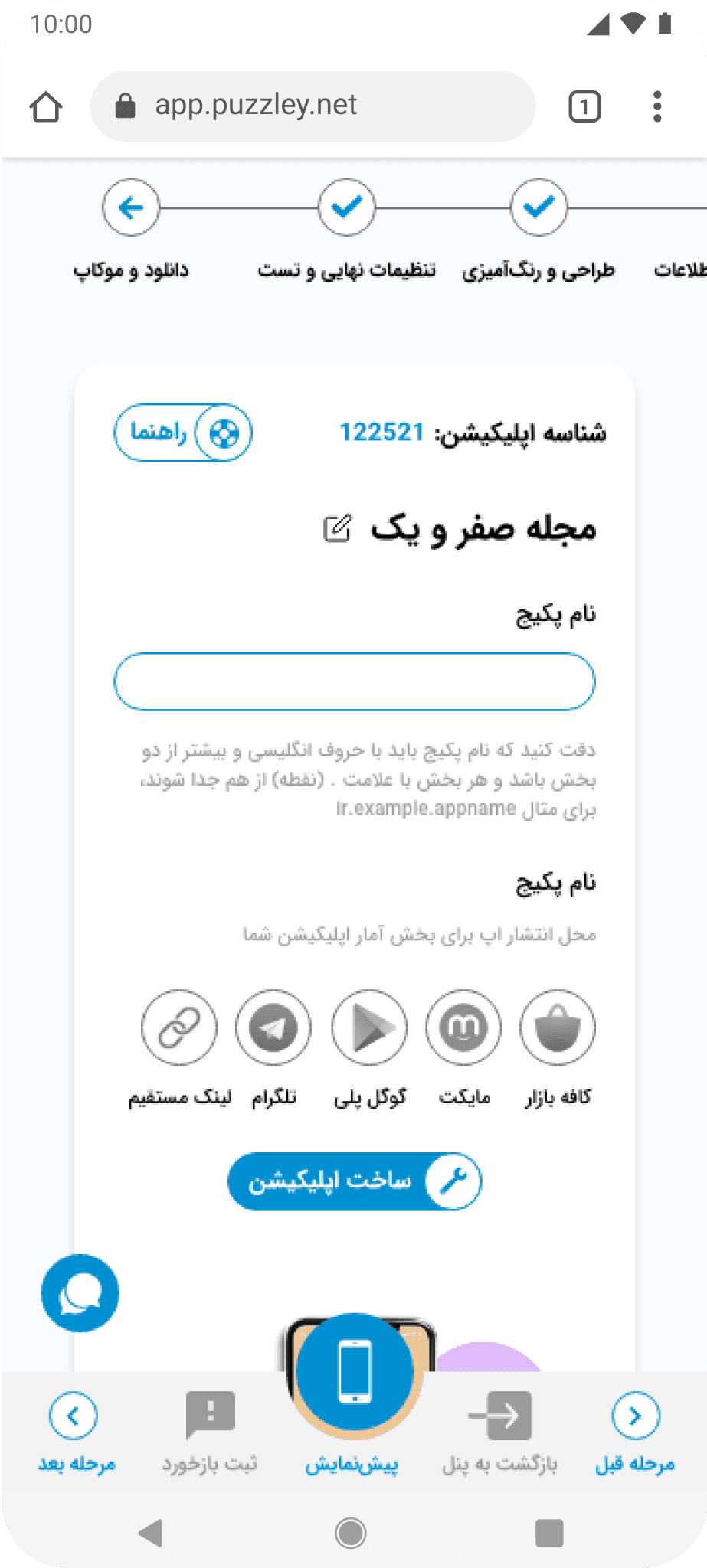
Mobile Version
Despite the majority of users using the desktop version, I tried to employ a mobile-first approach to improve the mobile version.






05/Recap
Delivering a Faster and More Intuitive Experience
How did I succeed?
Simplified Steps
Reduced the number of fields per step and added clear labels and hints.
App Templates
Introduced app templates to enable faster setup and completion.
Dual Modes
Introduced Simple and Advanced modes for faster task completion.
User Survey
Conducted a survey to segment users and generated new personas.
Usability Test
Conducted multiple usability tests to identify user pain points.
06/Client's Review
Delivering Actionable UX Insights and Design Solutions

Mohammad Hossein Mohseni
Product Manager and Co-Founder at Puzzley
Hussein did a fantastic job over the four months with us. His comprehensive research pinpointed numerous design issues and provided us invaluable insights that we were unaware. We also experienced several issues during usability testing sessions that prevented user to complete one important flow.
He could turn his findings into actionable steps and design frames that elevate our users' experience. Additionally, he could provide us new ideas to be added in our next version. Hussein would be a great addition to your team. I definitely recommend him.